Software
The Modern Support Stack for Solo Developers and Small SaaS Teams

Building a SaaS product as a solo developer or part of a small team comes with an interesting challenge: the product may be small, but the number of things customers expect from it is not.
Customers want somewhere to report bugs. They want to request features, ask questions, get support, find documentation, follow product updates, and know that their feedback is actually being heard.
The problem is that these activities often end up spread across several different tools.
Feedback might arrive through email. Feature requests might live in a spreadsheet. Support conversations happen in another inbox. Documentation sits somewhere else, while product updates are announced through yet another channel.
For a large organization with dedicated teams, managing this complexity may be possible. For a solo developer or a small SaaS team, it can quickly become another operational burden.
That is why the modern support stack is moving toward something more connected: a workflow where customer feedback, support conversations, self-service resources, product updates, and product development can work together rather than existing as isolated systems.
What Does a Modern SaaS Support Stack Actually Need?
A modern support stack is about much more than answering customer questions.
For a growing SaaS product, several pieces of the customer experience need to work together:
- Customer feedback for bugs, feature requests, and product suggestions
- Support conversations for questions and individual customer issues
- Live chat for customers who need immediate assistance
- A help center for self-service answers
- A product changelog to communicate improvements and releases
- Feedback prioritization so teams know what to work on next
- Customer insights that help teams understand recurring problems and sentiment
- Automation and AI that can reduce repetitive support work
Individually, none of these functions is particularly unusual. The challenge comes from managing all of them together.
For a small team, every additional tool introduces another interface, another workflow, another subscription, and another place where important customer information can become disconnected.
The better question is therefore not, “How many support tools do we need?”
It is:
“How can we create one support workflow that connects the customer experience from feedback to resolution?”
The Problem With a Fragmented Support Stack
Imagine a customer reports a bug through email.
Another customer requests the same feature through chat.
A third user mentions the issue in a support conversation.
Meanwhile, the development team is tracking product requests somewhere else.
Eventually, the team fixes the problem — but the customers who originally reported it may never know.
This is the hidden cost of a fragmented support stack.
Information gets duplicated, customer requests become difficult to prioritize, and developers spend time moving information between systems instead of improving the product.
For solo developers and small SaaS teams, this can be particularly frustrating because there may not be a dedicated customer-success or support department. The same people building the product are often answering support questions, reviewing feedback, writing documentation, and communicating releases.
A connected support workflow can reduce this friction by creating a clearer path:
Customer feedback → Triage → Product decision → Development → Release → Customer communication
That connection is what turns support from a collection of reactive tasks into part of the product-development process.
Related Article:- How GIVE→ALIGN Is Leading the Future of Digital Giving
Bringing Customer Feedback Into the Product Workflow
Customer feedback is one of the most valuable sources of product insight, but only if a team can actually organize it.
A useful feedback system should make it easy for customers to submit bugs, feature requests, and general suggestions. It should also give other users a way to vote or comment, helping the product team identify which requests have broader demand.
For the team, the next step is prioritization.
Instead of keeping an unstructured list of requests, teams can move feedback through a clear workflow such as:
Backlog → Open → Planned → In Progress → Done
This creates visibility for both the team and the customer.
SupDesk takes this approach with a public feedback portal where users can submit bugs, feature requests, and general feedback, then vote and comment on existing posts. Teams can triage those submissions through defined statuses, turning the feedback board into a lightweight public roadmap.
That matters for a small SaaS team because the feedback board isn’t just a place to collect suggestions. It can become a shared space where customers see that their requests have a path toward action.
One Place for Customer Conversations
Feedback is only one part of the support experience.
Customers will still have questions that are specific to their account or situation. They may need to discuss a problem privately, ask how something works, or contact the team while they are actively using the product.
This is where support conversations and live chat become important.
A fragmented setup might send email conversations to one tool and live-chat conversations to another. For a small team, switching between those systems can make even simple questions unnecessarily time-consuming.
A more connected approach keeps customer conversations accessible from the same workspace.
SupDesk supports private one-to-one customer messaging through email-backed threads, while its live chat can be added to a website and answered from the same inbox workflow. This gives small teams a way to handle different types of conversations without creating entirely separate support processes.
The goal isn’t simply to have more communication channels.
It is to make those channels easier for the team to manage.
Related Article:- Meet Clara: The Protection-Led AI Helping Shape the Future of Digital Security
Self-Service Should Be Part of the Support Stack
Not every customer question needs a personal response.
If the same questions are appearing repeatedly — how to get started, where to find a feature, how billing works, or how to troubleshoot a common problem — the answer should ideally become part of the product’s self-service experience.
A good help center gives customers that option.
The most useful help centers typically include:
- Clear categories
- Searchable articles
- Getting-started guides
- Troubleshooting documentation
- Frequently asked questions
- Regularly updated content
SupDesk includes a built-in help center designed around this type of self-service experience. Articles can be organized into categories, searched through the portal, and updated as the product evolves. Published articles also include reader feedback, giving teams a signal about which documentation is actually helping customers.
This creates another useful connection in the support workflow.
When a customer asks a question repeatedly, the team can turn the answer into documentation. That documentation can then reduce future support requests.
In other words:
Support conversation → Documentation → Self-service → Fewer repetitive questions
For a small team, that can have a meaningful impact over time.
Close the Loop With a Product Changelog
One of the easiest things for SaaS teams to overlook is what happens after a customer provides feedback.
A customer reports a problem.
The team fixes it.
But does the customer know?
A product changelog helps close that loop.
Instead of treating release notes as a technical record of what developers shipped, teams can use a changelog as a communication channel with customers.
For example:
Customers requested a particular capability → the team builds it → the release is announced → customers know their feedback influenced the product.
That final step can make customers feel like participants in the product’s development rather than simply users of it.
SupDesk includes a changelog that can be used to announce what’s new, improved, and fixed. Entries can be labeled, scheduled, and published, with users able to subscribe through email or RSS.
This also completes the feedback loop:
Feedback → Planned → Built → Released → Communicated
For small SaaS products, that is a powerful way to turn customer feedback into visible product progress.
Where AI Fits Into the Modern Support Stack
AI can add another layer of efficiency, but it works best when it supports an existing workflow rather than replacing the human side of customer support.
For a lean SaaS team, even small amounts of automation can save time.
Consider the number of incoming feedback messages a product might receive over time. Someone needs to determine whether each one is a bug, feature request, question, praise, or something else.
AI can help with that initial classification.
SupDesk includes AI-powered capabilities for automatically categorizing feedback, suggesting responses, and analyzing sentiment. Its AI Inbox can also draft replies to incoming customer messages based on the project’s help-center content, canned responses, and agent instructions.
The important distinction is that AI doesn’t have to remove the human from the process.
Instead, it can handle some of the repetitive work so the team can spend more time on decisions that actually require product knowledge and judgment.
For a small SaaS company, that can mean:
Less manual triage → Faster responses → Better visibility → More time for product development
What Should Solo Developers and Small SaaS Teams Look For?
There is no universal support stack for every SaaS company.
A product with thousands of employees will naturally have different requirements from a product operated by one developer.
But for solo developers and small SaaS teams, several questions are worth asking when evaluating a support platform.
Does it reduce the number of disconnected tools?
If a platform requires multiple additional systems to handle feedback, documentation, communication, and product updates, the operational burden may remain.
Can customers easily submit and prioritize feedback?
A good feedback workflow should make it easy for customers to explain what they need and for teams to understand which requests matter most.
Can support conversations remain connected?
Email, private conversations, and live chat should ideally fit into a workflow that the team can manage without constantly switching between applications.
Can customers find answers themselves?
A searchable help center can turn repeated support questions into reusable knowledge.
Can you communicate product progress?
A changelog gives teams a structured way to show customers what has changed and what has been improved.
Can AI reduce repetitive work?
For lean teams, automated categorization, response suggestions, and sentiment analysis can provide useful leverage as the volume of customer interactions increases.
Can the system grow with the product?
A support platform should not only solve today’s problem. It should provide a foundation that can evolve as the customer base, product, and team grow.
Related Article:- Documentation Migration at Scale: Challenges, Best Practices & Modern Solutions
SupDesk: A More Connected Approach to Customer Support

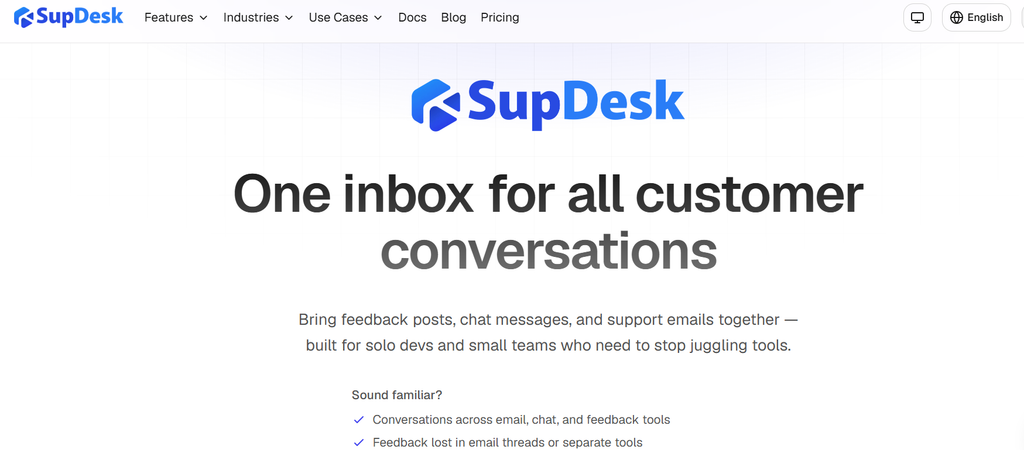
The strongest support experience isn’t necessarily the one with the largest number of features.
For a solo developer or small SaaS team, it may be the one that keeps the most important parts of the customer relationship connected.
That is the thinking behind SupDesk.
Rather than treating feedback, support, documentation, product updates, and customer communication as completely separate workflows, SupDesk brings them together within a single customer-focused product console.
Customers can use a branded portal to submit feedback, report bugs, request features, vote and comment, search the help center, read product updates, and communicate privately with the team. On the team side, those interactions can be managed through the console alongside feedback triage, help-center content, changelog publishing, and customer messaging.
That creates a much more connected customer journey:
Customer has an idea → Customer submits feedback → Team evaluates it → Product gets improved → Update gets published → Customer sees the result
For a small SaaS team, that connection can be more valuable than simply adding another tool to the stack.
It can also help create a better relationship between the people building the product and the people using it.
Conclusion
The modern support stack doesn’t have to mean adding more and more software.
For solo developers and small SaaS teams, the bigger opportunity is to make the existing customer workflow more connected.
Feedback should be able to influence product decisions.
Support conversations should inform documentation.
Documentation should reduce repetitive questions.
Product updates should close the loop with customers.
And AI should help teams handle repetitive work without losing the human element of support.
When these pieces work together, customer support becomes more than a reactive function. It becomes another source of product insight, customer trust, and long-term improvement.
For teams looking to bring these workflows together, SupDesk offers a connected approach to feedback, support conversations, self-service, product updates, and AI-assisted customer support — built with the needs of solo developers and small SaaS teams in mind.